
WordPress Video SEO is a video sitemap plugin for WordPress. It allows you to optimize your videos for the search engines.
WordPress Video SEO Plugin Features
- Generate a video sitemap for your YouTube videos
- Allow search engines to index your videos
- Allow search engines to display your videos along with the post/page content
How WordPress Video SEO Plugin Improves Your Search Engine Ranking
If you regularly publish posts with videos in it, you have probably seen by now that most of your videos don’t even show up in the search results. It can be frustrating for you since you spent so much time just to produce a video. Sometimes the videos do show up but as general “video results”. But that’s not what you want. You want the videos to be part of the post/page content and display it in the search results accordingly. Well, WordPress Video SEO plugin will help you with that.
It will make it easy for the search engine bot to crawl through your videos and index them like normal post/page content. In fact you get the following benefits:
- Search engines will show more interest in your post/page since there are videos embedded in it (obviously the videos need to be related to the content)
- When your post/page ranks in the search results there will also be a video thumbnail with it showing users that the post/page contains a video. It makes users feel more confident by giving you a higher click rate.
WordPress Video SEO Plugin Installation
- Go to the Add New plugins screen in your WordPress admin area
- Click the upload tab
- Browse for the plugin file (wp-video-seo.zip)
- Click Install Now and then activate the plugin
WordPress Video SEO Plugin Usage
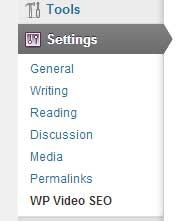
Step 1: Go to the Settings menu of the WordPress Video SEO plugin.
Step 2: Generate a video sitemap for your site.
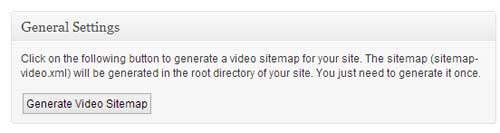
The sitemap (sitemap-video.xml) is generated in the root directory of your site. You just need to generate it once. If you make any changes to your existing post/page video content the sitemap will be automatically updated.
Will this work if my theme uses shortcodes or custom fields to add videos?
I downloaded your plugin for a client’s website and got the following error after I activated the plugin and Generated the video sitemap:
XML Parsing Error: not well-formed
Line Number 330, Column 34:
Chic-Flic TOGO Teeth Whitening & Lip Gloss Plumper Pen
———————————^
Any idea why this happened or how to fix it?
Thanks, Mollie
Your plugin is very helpful.I have added your plagin to my site
One quick question – is this plugin supports schema.org videoObject markup ?
Hi, currently it follows the Google guidelines for submitting a video sitemap.
Does it support, Dailymotion, Facebook and Vimeo videos ?
@Naveed, currently it only supports YouTube videos.
Nice plugin but as other mentioned, when the YT video doesn’t have any likes, the plugin doesn’t close the tag and the sitemap shows an error in GWT. This is a major problem. Please fix it!!!
Thank you!
i see is not suporting self hosted videos…
@florin, currently it only works with YouTube videos.
Is this plugin compable with yoast SEO plugin?
thanks
Davys
@Davys, currently the plugin works by itself.
Does this plug in work with vimeo?
@Margaret, currently it only works with YouTube videos.
Hi There,
I have a question.
Does it conflict with 1 click video ranker WP plugin?
Thank you
@Vo Dang Tung, It shouldn’t really conflict with any plugin. All it does is create a xml file which you can submit to Google Webmaster to get your videos indexed.
Hey,
thanks for the plugin it works like said!
But how can i cange the Description and Titel in the XML Sitemap, because there are YouTube urls and not Text like this:
https://youtube.com/devicesupporthttps://youtube.com/devicesupport http://m.youtube.comAnd do you see a chance to support Shortcodes in Custom fields or maybe do you have got a hint how to do this?
Greetz,
Marius
Hello,
This plugin work with picasaweb videos?
@Nguyen, currently it only works with YouTube videos.